Good news — FAOL works great on phones and tablets. No app to download, no special setup.
Just Open Your Browser
On your phone or tablet, open Safari, Chrome, or whatever browser you normally use. Go to flyanglersonline.com and it will automatically adjust to your screen size.
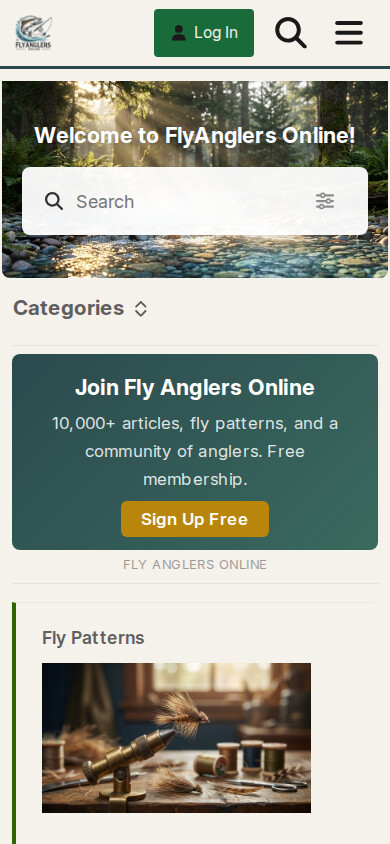
Everything Works
You can do everything on your phone that you can do on a computer:
- Browse categories and topics
- Search for patterns and articles
- Post replies and new topics
- Upload photos directly from your camera roll
- Play the games
- Manage your profile and notifications
Tips for Phone Users
- Text stays readable — we set the font size to 18px specifically so it’s easy to read without squinting
- Tap the hamburger menu (three horizontal lines) for navigation options
- Swipe to scroll through category tabs
- No app needed — the website IS the app. You can add it to your home screen for quick access:
- iPhone: In Safari, tap the Share button → “Add to Home Screen”
- Android: In Chrome, tap the three dots → “Add to Home Screen”
— Rusty McFins